

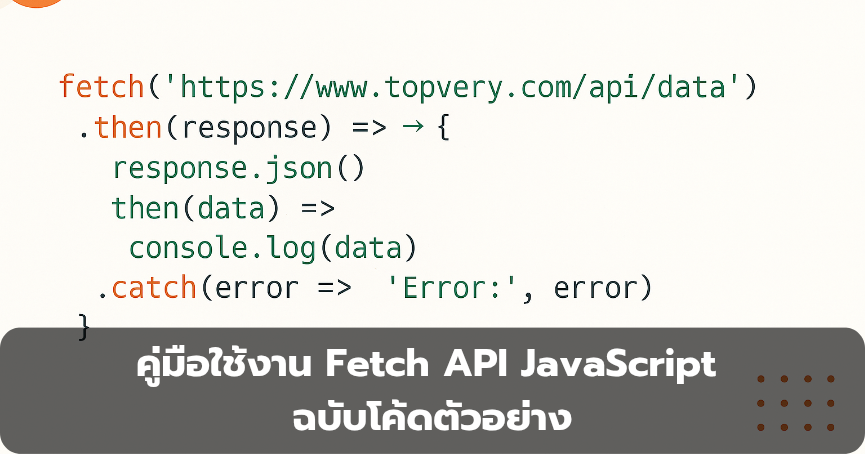
คู่มือใช้งาน Fetch API JavaScript ฉบับโค้ดตัวอย่าง
Dev Developer | .., 11 พฤศจิกายน 2568
คู่มือใช้งาน Fetch API JavaScript ฉบับโค้ดตัวอย่าง
async await เหมาะกับงานดึงข้อมูลและติดต่อบริการเว็บสมัยใหม่
เริ่มต้นใช้งาน
// พื้นฐาน: เรียกข้อมูลและตรวจสอบสถานะ
fetch('https://api.example.com/items')
  .then(res => {
    if (!res.ok) throw new Error('HTTP ' + res.status);
    return res.json();
  })
  .then(data => console.log(data))
  .catch(err => console.error(err));
ตัวอย่างแบบ async await
async function loadItems() {
  try {
    const res = await fetch('https://api.example.com/items');
    if (!res.ok) throw new Error('HTTP ' + res.status);
    const data = await res.json();
    console.log('รายการ:', data);
  } catch (e) {
    console.error('ข้อผิดพลาด:', e.message);
  }
}
loadItems();
ส่งข้อมูลแบบ POST JSON
async function createItem(payload) {
  const res = await fetch('https://api.example.com/items', {
    method: 'POST',
    headers: { 'Content-Type': 'application/json' },
    body: JSON.stringify(payload)
  });
  if (!res.ok) throw new Error('HTTP ' + res.status);
  return await res.json();
}
createItem({ name: 'Topvery', active: true })
  .then(console.log)
  .catch(console.error);
อัปโหลดฟอร์มและไฟล์ด้วย FormData
กรณีส่งไฟล์หรือข้อมูลฟอร์ม ใช้ FormData
const form = new FormData();
form.append('username', 'chote');
form.append('avatar', fileInput.files[0]); // ไฟล์จาก <input type="file">fetch('https://api.example.com/profile', { method: 'POST', body: form }) .then(r => r.ok ? r.json() : Promise.reject('HTTP ' + r.status)) .then(console.log) .catch(console.error);
อ่านผลลัพธ์เป็นชนิดต่างๆ ของ Response
Response รองรับหลายเมธอด
const res = await fetch('https://api.example.com/file');
const asText = await res.text();        // ข้อความ
const asJson = await res.json();        // JSON
const asBlob = await res.blob();        // ไฟล์/รูปภาพ
const asBuf  = await res.arrayBuffer(); // ไบนารี
แนบพารามิเตอร์ใน URL
const params = new URLSearchParams({ q: 'topvery', page: 2 });
const res = await fetch('https://api.example.com/search?' + params.toString());
กำหนดส่วนหัวและโหมดการร้องขอ
ตั้งค่า headers credentials และ mode สำหรับงานที่ต้องใช้คุกกี้หรือข้ามโดเมน อ่านเพิ่มที่ ตัวเลือกของ fetch
const res = await fetch('https://api.example.com/me', {
  headers: { 'Authorization': 'Bearer <token>' },
  credentials: 'include', // ส่งคุกกี้ถ้าจำเป็น
  mode: 'cors'
});
ยกเลิกคำขอด้วย AbortController และตั้งเวลา
ใช้ AbortController เพื่อยกเลิกคำขอที่ช้า และทำ timeout
function fetchWithTimeout(url, ms = 5000, options = {}) {
  const controller = new AbortController();
  const id = setTimeout(() => controller.abort(), ms);
  return fetch(url, { ...options, signal: controller.signal })
    .finally(() => clearTimeout(id));
}fetchWithTimeout('https://api.example.com/slow', 3000) .then(r => r.ok ? r.text() : Promise.reject('HTTP ' + r.status)) .then(console.log) .catch(e => { if (e.name === 'AbortError') console.log('ยกเลิกคำขอเพราะเกินเวลา'); else console.error(e); });
จัดการข้อผิดพลาดอย่างเป็นระบบ
async function safeFetch(url, options) {
  try {
    const res = await fetch(url, options);
    const type = res.headers.get('content-type') || '';
    if (!res.ok) {
      const reason = type.includes('application/json')
        ? JSON.stringify(await res.json())
        : await res.text();
      throw new Error(`HTTP ${res.status}: ${reason}`);
    }
    return type.includes('application/json') ? res.json() : res.text();
  } catch (err) {
    // จุดกลางสำหรับ log หรือแจ้งเตือน
    throw err;
  }
}
แนวทางที่ดี
- เช็ค
response.okและจัดการสถานะผิดพลาดให้ครบ - ตั้งเวลา timeout ด้วย AbortController
- แยกยูทิลิตี้ fetch ใช้ซ้ำง่าย ทดสอบง่าย
- ระวัง CORS และการส่งคุกกี้ข้ามโดเมน

สอบถามได้ที่ Line, Topvery Cloud IDC
เมื่อคุณเจอบัญชีนั้น, คลิก "เพิ่มเพื่อน" หรือ "ติดตาม" เปิดแอป LINE บนอุปกรณ์ของคุณ ไปที่แท็บ เพื่อน ที่มุมล่างขวา กดที่ไอคอน เพิ่มเพื่อน ที่อยู่บนขวามือ ในหน้าต่างที่ปรากฏขึ้น, คุณสามารถค้นหาบัญชี LINE Official ที่ต้องการด้วยชื่อ เมื่อคุณเจอบัญชีนั้น, คลิก เพิ่มเพื่อน หรือ ติดตาม
แอดไลน์ ID @topvery
แอดไลน์ ID @topvery คลิก..?